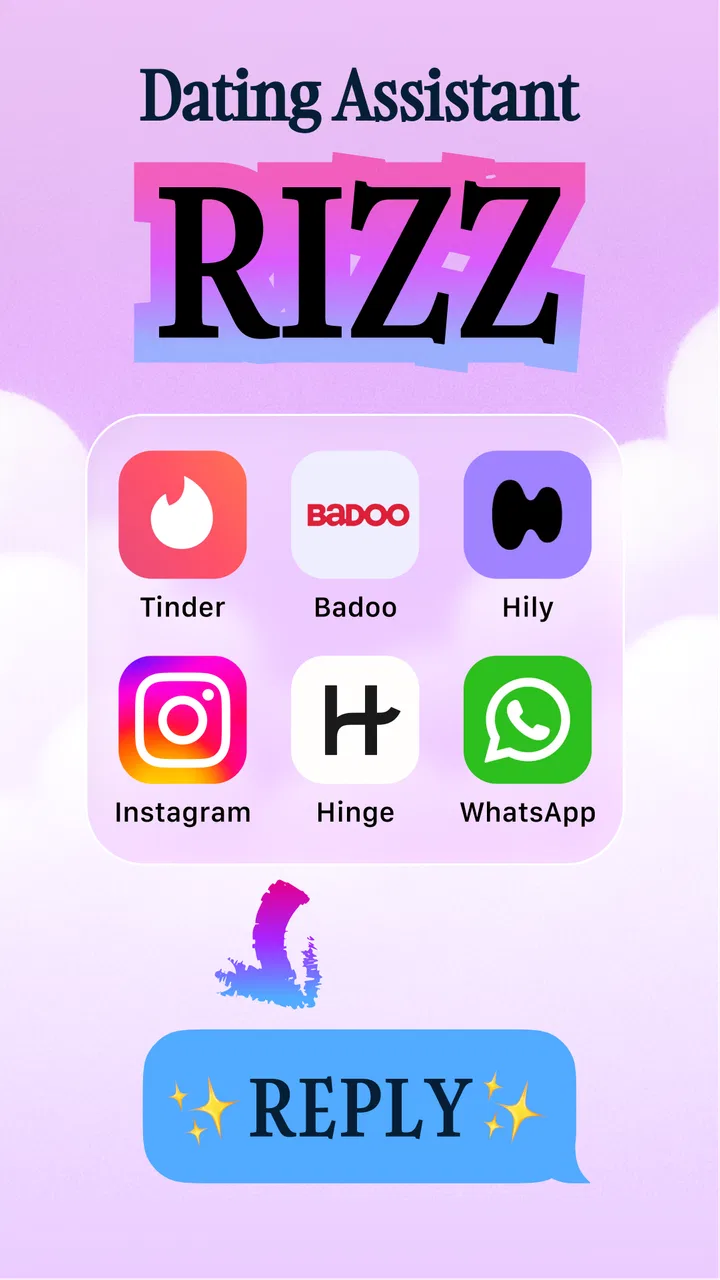
Rizz - AI Dating Assistant
- 4.6
- Rating
- 100.00K
- Installs
- Free
- Price

 Analysis by App-foxy
I tried Rizz - AI Dating Assistant as a practical Lifestyle app rather than treating it as a magic answer generator. Its central idea is simple: help you respond to a romantic conversation in a way that fits the other person’s tone. That makes it most useful in the small moments when you know what you feel but cannot find a natural way to say it.
My first impression was that the app is aimed at reducing hesitation, not replacing personality. That distinction matters. A suggested reply can give you a starting point, but the best result still comes from editing it until it sounds like something you would genuinely send. If you want an assistant that writes every message for you without any personal input, this is probably not the right tool.
The app is free to install, with optional in-app purchases ranging from $7.99 to $39.99 per item. It is rated for Everyone, works from Android 7.0 onward, and comes from developer Ihor Tymarsha. The current version is 1.1.8, while its public release date is November 26, 2025. Its 4.6 average from around twelve thousand ratings and more than one hundred thousand installs suggest that the basic idea has found an audience, although those figures do not tell you whether it will match your own communication style.
You May Also Like

 Blood Strike: 2.5 Anniversary
Blood Strike’s Loadouts Turn Every Drop Into a Tactical Gamble
A close look at Blood Strike’s custom loadouts: how fast access to signature weapons reshapes its battle royale rhythm, rewards preparation, and narrows the gap between fights.

 Pandora - Music & Podcasts
Pandora’s Music Is Easy to Start, but Harder to Recover
Pandora’s strength is its low-effort path from a seed to a station. Its weak spot is how much confidence it asks you to place in connection, setup, and quiet recovery.

 8 Ball Pool
 Is Built on Rivalries, Rematches, and Routine
A close look at the rivalries, rematches, shared routines, and unanswered safety questions that turn a quick pool match into a persistent mobile community.

 Samsung Music
’s Quiet Strength Is Playing What You Already Own
Its reach comes less from spectacle than from dependable access to a personal library. That simplicity is both the app’s strongest retention engine and its ceiling.

 AccuWeather: Weather Radar
AccuWeather Review: A Quick, Clear Forecast for Everyday Decisions
For everyday plans, the best forecast is the one you can understand quickly. AccuWeather makes rain timing, radar, and local conditions easy to act on, with a few trade-offs.

 Hill Climb Racing
Why Hill Climb Racing Still Turns Crashes Into One More Run
A tiny car, a bumpy hill and one more upgrade: Hill Climb Racing keeps resurfacing because its simple chaos makes every near-miss feel personal.
More From Our News Desk
View All News


How the assistant behaves when the conversation is live
I find the live-chat moment most useful when I treat a suggestion as a pause for thought, not a message I must send. Before moving on to what happens when a draft misses, it helps to decide what you want the other person to understand; that intention gives you a better way to judge whether the wording actually fits.
Useful when the blank screen is the real problem
The most convincing use case is not a dramatic dating crisis. It is the ordinary pause after receiving a message that deserves a thoughtful answer. Maybe the other person has made a playful comment, shared something personal, or asked a question that could be answered in several different ways. In that situation, the difficulty is often choosing a tone: warm, teasing, confident, apologetic, or simply interested.
That is where the app’s focus on matching a partner’s communication style becomes meaningful. Instead of treating every exchange as a generic pickup line exercise, I found the concept more helpful when I used it to think about the conversation’s existing rhythm. A short, light message does not need an essay in response. A vulnerable message should not receive an exaggerated joke. The tool is at its best when it helps you notice that difference.
One practical routine is to read the incoming message twice before asking for assistance. On the first pass, I look at the literal question. On the second, I consider the emotional signal behind it. Only then would I use a suggestion as a draft. This prevents the common mistake of accepting a clever sentence that technically answers the message but feels disconnected from the moment.
Connectivity is part of the experience
Because the app is built around AI assistance, the quality of the moment depends on being able to submit the conversation context and receive a response. That makes a stable connection important when you are using it during an active chat. If you are in a crowded place with an unreliable signal, the delay can be more frustrating than the original writer’s block.
I would not treat it as something to depend on for an urgent or emotionally sensitive exchange. A live conversation can move on while you are waiting, and a delayed suggestion may no longer fit the mood. My better approach is to use it as a quick thinking aid, then continue the conversation in my own words rather than keeping the other person waiting for every reply.
This also changes how I view the app compared with a traditional notes app. Notes work immediately and are excellent for saving ideas, drafting a message, or keeping a personal reminder. Rizz is more situational: its value appears when you want help interpreting tone and shaping a response. The trade-off is that this kind of assistance is naturally more dependent on an active connection than a simple text editor.
A realistic evening scenario
Imagine that I am commuting home and someone I have recently matched with sends a message saying they had a difficult day, followed by a small joke to keep things from becoming too heavy. A generic flirtation tool might push me toward a flashy response. A better use of this app would be to ask for something that acknowledges the difficult day while preserving the playful part of the exchange.
I would then shorten the result, remove any phrase I would never normally use, and send only the portion that feels honest. The useful insight is not necessarily the final wording. It is the reminder that the reply should carry two signals at once: empathy and lightness. That kind of adjustment is more valuable than copying a polished line that makes me sound unlike myself.
In this scenario, the app helps with emotional calibration. It does not know the relationship as well as I do, and it cannot decide whether the other person wants advice, comfort, or space. I still have to make that judgment. The assistant can support the wording, but it should not take responsibility for the meaning.
Mobile use rewards short, deliberate sessions
This feels like a phone-first tool because the need usually appears while a conversation is already happening. I would use it in a quiet pause, not while walking, driving, or trying to keep up with several chats at once. Switching between a messaging app and an assistant can make a simple reply feel more complicated, especially when the connection is slow.
A helpful mobile habit is to prepare the context before opening the assistant. Decide whether you need help sounding more reassuring, more playful, or more direct. If you approach it with a precise intention, you spend less time comparing suggestions that are all slightly different but equally vague. This is one of the less obvious strengths of the app: it can turn an undefined feeling of “I do not know what to say” into a clearer writing task.
There is also a privacy-conscious reason to keep the context focused. You do not need to recreate an entire relationship history for every reply. A short description of the immediate exchange is easier to review and less likely to include irrelevant personal details. It also makes the resulting wording more focused instead of encouraging a broad, generic answer.
Where mobile convenience becomes friction
The same convenience has limits. If you are already comfortable writing messages on your phone, moving between apps may feel like an unnecessary extra step. The assistant can help when emotion slows you down, but it may not improve a message that was already clear in your head. In those cases, sending a sincere sentence immediately is better than polishing it into something artificial.
Screen size also encourages over-editing. It is easy to stare at a suggested reply and keep adjusting it until the original feeling disappears. I recommend setting a simple rule: use the suggestion to find direction, make one or two personal edits, and then decide. If you are still rewriting after that, the problem may not be wording at all; you may need to decide what you actually want from the conversation.
What happens when the result misses the tone
No style-matching assistant can reliably understand every private joke, cultural reference, or history between two people. A message can look playful to a system and feel dismissive to the recipient. It can sound confident in isolation but come across as too intense after a quiet period. I treat every generated response as a draft precisely because these small differences matter.
When a suggestion misses, I find it more productive to identify the specific problem than to reject the whole idea. Is it too long? Too formal? Too eager? Does it answer the words but ignore the emotion? Once I name the issue, I can often keep the useful structure and rewrite the rest. This recovery method is more reliable than repeatedly requesting a new line without changing the direction.
For sensitive situations, I would skip automated wording altogether. Apologies, boundary-setting, discussions about exclusivity, and messages following a disagreement need personal responsibility more than clever phrasing. An assistant may help me organize my thoughts, but I would not let it soften a necessary boundary or manufacture emotional certainty that I do not feel.
Recovering from a weak or delayed suggestion
If the app does not produce something useful on the first attempt, I would simplify the task. Instead of asking for a perfect reply, describe the desired outcome in plain language: acknowledge the person, answer the question, and keep the tone relaxed. A narrower request gives me a better editing target and reduces the temptation to choose the most impressive-looking sentence.
If the network pauses, I would return to the conversation itself rather than repeatedly waiting. A basic response such as acknowledging the message and promising to reply properly later is often more respectful than disappearing while searching for the ideal wording. The app should reduce pressure, not create a new obligation to obtain an AI-generated answer before speaking.
Another useful recovery technique is to write my own rough reply first. Once I have a natural version, the assistant can serve as a comparison point instead of becoming the source of my voice. I can check whether my draft is too abrupt or whether it overlooks the other person’s tone, then send the version that feels most authentic. This workflow protects spontaneity while still using the app’s main strength.
Being careful with personal conversation context
Dating messages can contain names, locations, workplace details, family information, photographs, and emotionally private material. I would avoid pasting more than the app needs to understand the immediate tone. Removing names and identifying details is a sensible habit, especially when a short description can explain the situation just as well.
For example, instead of copying an entire chat, I might summarize it as: the person made a joke after canceling plans, I want to show I am still interested, and I do not want to sound resentful. That gives the assistant a clear communication problem without exposing a long record of someone else’s messages. It is also better writing practice because I have already worked out the essential context.
I would also avoid using the tool to analyze intimate information about another person without thinking about consent and respect. The convenience of an AI reply should not turn a private conversation into raw material. Keeping requests short, relevant, and anonymized makes the experience more responsible and usually produces more useful results at the same time.
Free access and the purchase decision
The app can be installed for free, which makes it easy to test whether its style suits you before spending anything. Optional purchases are listed from $7.99 to $39.99 per item, so I would pay attention to what is available during actual use rather than assuming that every helpful function is included without charge.
My advice is to judge the free experience with real conversations, not with an imaginary future need. Try it on several different tones: a light introduction, a delayed reply, and a message that needs empathy. If the suggestions consistently give you a useful starting point, paid access may make sense for frequent use. If you mainly need help once in a while, a notes app and your own drafts may be enough.
The purchase question also depends on how much editing you do. If every suggestion requires a complete rewrite, paying for more assistance will not solve the underlying issue. If the app regularly helps you recognize the right emotional direction and saves time, its value is less about copying text and more about reducing hesitation when your attention is already divided.
Who will appreciate this assistant
I think it suits people who overthink messages, want to sound more natural in a new relationship, or struggle to balance humor with sincerity. It can also help someone who understands what they want to communicate but has trouble choosing a tone. The strongest users will be willing to edit and take responsibility for the final message.
It is less suitable for people who dislike AI-written language on principle, already communicate easily, or expect guaranteed success in dating. It is also a poor fit for anyone who wants a fully automated conversation. The app can suggest wording, but it cannot create mutual interest, resolve incompatibility, or replace the small personal details that make a message feel real.
Compared with a generic keyboard suggestion feature, its appeal is the attention to romantic tone rather than spelling or speed. Compared with writing advice from a friend, it is available at the moment you need it and does not require explaining the entire situation aloud. The friend still has an advantage when context is complicated, because a trusted person may understand your history and recognize when a message does not sound like you.
My connectivity verdict
After using it as a writing companion rather than an automatic dating solution, I see a clear but limited role for it. The best experience happens when I have a stable connection, a specific communication goal, and enough time to review the suggestion before sending anything. In that setting, it can turn a vague hesitation into a practical draft and help me notice how tone changes the meaning of a reply.
The main weakness is that the same network-dependent process can interrupt a fast-moving conversation. A delayed answer, an unsuitable suggestion, or too much switching between apps can add friction. I would keep my own instincts available as a backup and never make the assistant the only way I communicate.
Overall, this free Lifestyle app is worth trying if your problem is finding the right tone, especially when you want to sound interested without becoming overly intense. Its 4.6 average and growing audience make it easy to understand why people are curious about it, but the real test is personal: do its drafts help you express yourself, or do they make you sound less like yourself? Use it as a private writing prompt, not as a substitute for genuine conversation.
FAQs for Rizz - AI Dating Assistant
01What is Rizz - AI Dating Assistant, and how does it work?
Rizz - AI Dating Assistant is designed to help users create replies, opening lines, and dating-profile messages with the assistance of artificial intelligence. You typically provide a screenshot or paste part of a conversation, and the app suggests responses based on the context and desired tone. It is best viewed as a writing aid rather than a replacement for genuine communication or personal judgment.
02Can Rizz help me reply to messages on dating apps and social networks?
The app can help generate possible responses for conversations from dating platforms and social networks, but it generally does not replace those apps or automatically send messages for you. You may need to paste text or upload a screenshot, review the suggested reply, and then copy it into the original conversation. Always check the wording before sending, since humor, intent, and context can be interpreted incorrectly.
03Is Rizz - AI Dating Assistant free to download and use?
Rizz may be available to download without an upfront charge, but some features can be limited by usage caps, advertisements, subscriptions, or in-app purchases. Pricing and available tools may vary between Android and iOS and can change over time. Before starting a trial or subscribing, review the payment terms, renewal conditions, and cancellation process shown in the relevant app store.
04Is it safe to upload screenshots or personal conversations to Rizz?
Users should be careful when sharing screenshots or conversation text with any AI assistant. Remove names, phone numbers, profile photos, locations, and other identifying details whenever possible, and avoid uploading sensitive information. Review the app’s current privacy policy and permissions before use, especially regarding data storage, processing, and deletion. AI-generated suggestions should also be checked for inappropriate or misleading content.
05Does Rizz guarantee better matches or successful dates?
No dating assistant can guarantee matches, replies, or successful dates. Rizz can make it easier to overcome writer’s block and may suggest more confident or engaging wording, but the result depends on your profile, the other person’s interests, timing, and the authenticity of your conversation. Use suggestions as inspiration, personalize them, and communicate respectfully rather than relying on automated lines for every interaction.
Pros
- Suggests personalized replies for different dating situations.
- Helps start conversations when you are unsure what to say.
- Can adjust suggestions to match different tones and personalities.
- Useful for polishing messages before sending them.
- May boost confidence during online dating conversations.
Cons
- AI suggestions can sound generic or unlike your natural voice.
- Some features may require a paid subscription.
- You should avoid sharing highly sensitive personal information.
- Advice may miss important context from an ongoing conversation.
- Results depend heavily on the quality of the screenshots or prompts.

Rizz - AI Dating Assistant
Gallery